
Introduction
Unlike most of Android users (but like some members the infosec community), I use Insular to isolate “untrustworthy” (your definition of “trust” may vary here) Android applications.
Insular is an alternative to Shelter and a fork of Island, which weaponizes the Android “Work profile” (that relies on Linux namespaces under the hood) to offer two independent Android execution contexts on the same device.
“Work profile” is ordinarily used by enterprises or organizations to dedicate a second SIM to a separate context or to even allow a MDM (Mobile Device Management) solution to be installed and granted root-like (Administrator) privileges to it, without accessing device owner’s “personal” data (e.g. messages, contacts, calendar and so on, present in the other context).
This is a very nice approach of “defense in depth” for Android systems, as it allows one not to trust Android permissions as the only security mechanism preventing an application from accessing your personal data (which had already been trivially bypassed in the past).
Technically, Insular manages two contexts called “Mainland” and “Island”, respectively used as “personal” (trustworthy) and “work” (untrustworthy) contexts.
Insular is of course available on F-Droid.
Typical setup
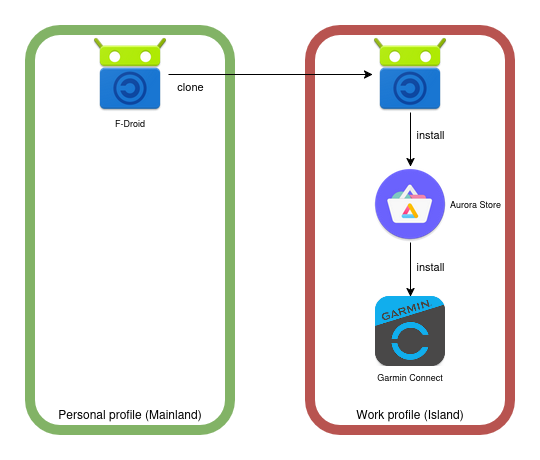
A typical setup is to install F-Droid in Personal/Mainland context, clone it to Work/Island, and then use this clone to install a third-party applications store (e.g. Aurora Store) to install “untrusted” applications. The third-party store, as well as all the applications installed with it, will only be able to access data in the Work/Island context (which correspond to more or less nothing).
For day-to-day usability, Android supports transferring media from/to Work/Island context, modulo additional confirmation dialogs (and thus, requiring user approbation).
Here comes the Garmin issue
So let’s say you want to link a Garmin device to your Android phone through the official Garmin Connect application. One would follow the instructions, grant Nearby devices Android permission and run the easy setup process, and that’s it.
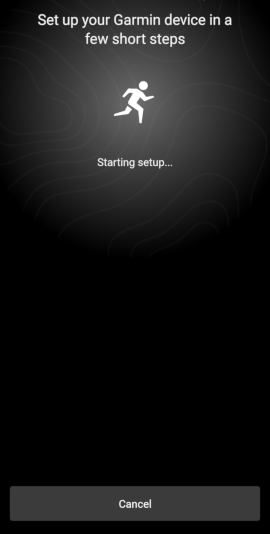
But if Garmin Connect is run from the Work/Island context, it looks like a bug prevents the (custom ?) Bluetooth pairing flow to find and connect to your device. The setup process actually starts, and then… nothing. Manually opening Bluetooth settings and trying to find the device didn’t work.
It looked like something was silently failing (pretty frustrating when you work in IT and lack of an explicit error) :
The only similar issue I’ve found so far is this one, where the user actually had a locale divergence between their Garmin account and Android settings from the application point of view. The Work profile is also known to prevent access (or fake) some system information, it’s not unlikely that something might be related here.
The (dirty) workaround
Anyway, Insular allows applications to be cloned from Personal/Mainland to Work/Island contexts (as we’ve seen with F-Droid for instance), but the other way is also possible !
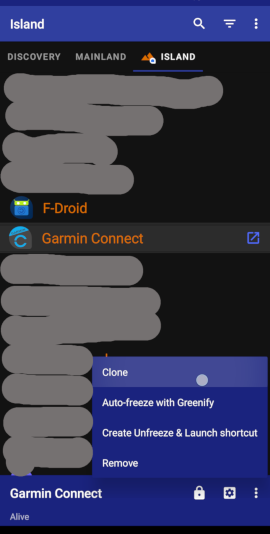
So I’ve cloned Garmin Connect from Island to Mainland, opened it, logged in with my account, and then started the linking process as before. Bluetooth system dialogs popped-up, and everything went smoothly.
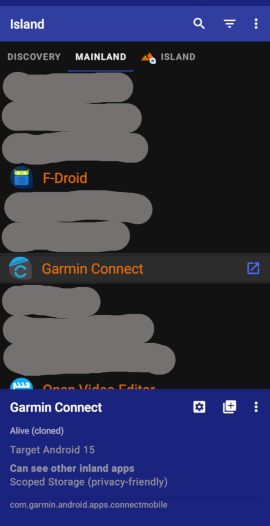
So now that the device is known to Android, and as Bluetooth devices are actually shared across contexts (because they are part of system), I only had to uninstall the cloned Garmin Connect from Mainland, and start using the original one installed in Island which now can discuss with the device !
Conclusion
It wasn’t very clean, but leveraging Android permissions by solely and temporarily granting access to Nearby devices in Personal/Mainland context, it suffices to go through the Bluetooth pairing process, before uninstalling the proprietary piece of software, like nothing happened.